Set Up Your Yarnie
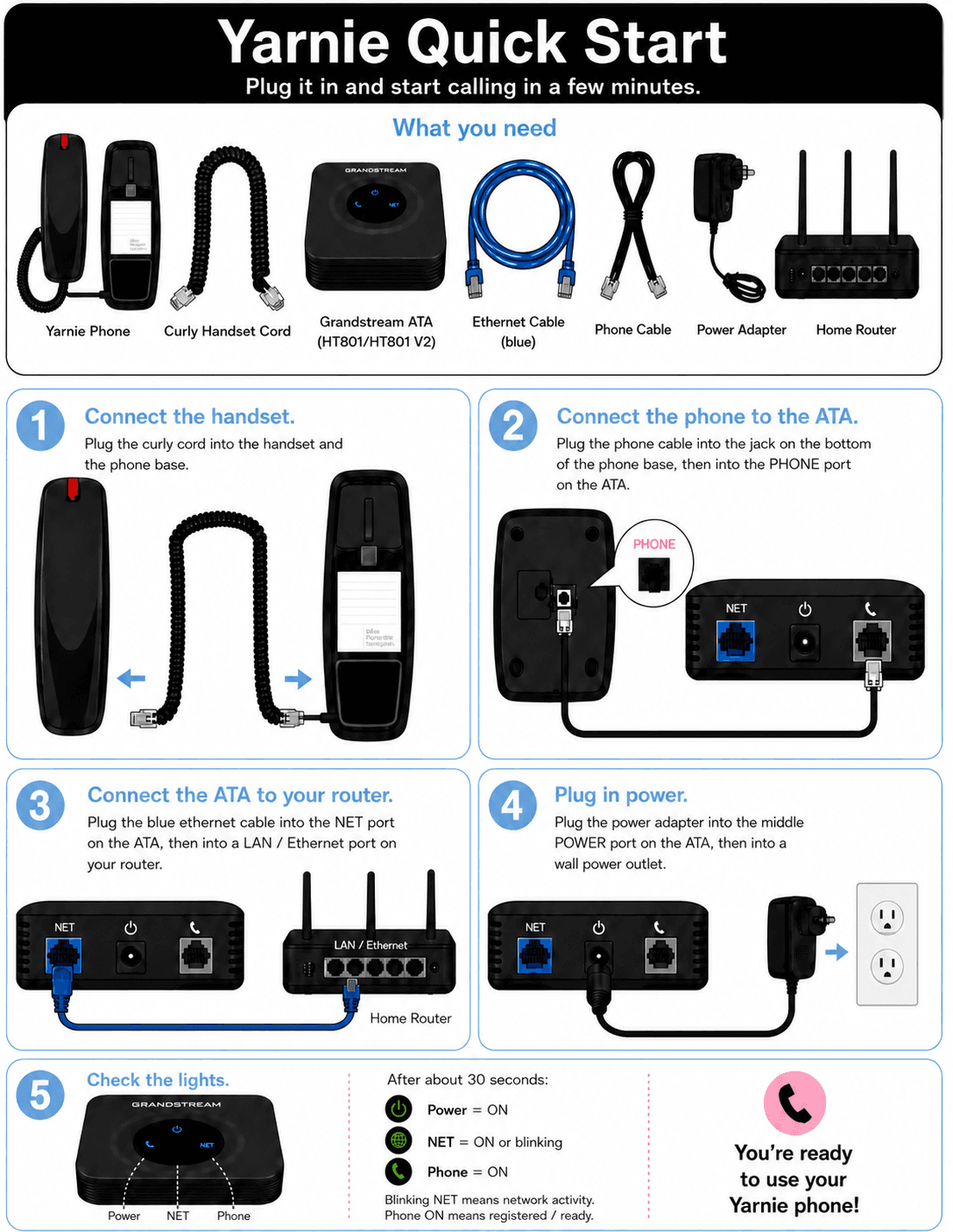
Setting up your Yarnie takes just a few minutes. First, you'll connect the physical device, then install the app on your phone. These are two separate jobs — anyone can plug in the device, but the app should be set up by the parent who'll manage who can call your child.
Connect Your Device
Install the App
Download the Yarnie app on your phone — tap a button below to go straight to the download page. Once installed, open the app.


- 1
Enter Your Setup Code
Quick question first: who's better at managing friends and contacts — Mum or Dad? Because the person who enters the setup code becomes the account admin — the one who approves friends, sends invitations, and helps your child manage their Yarnie contact list day to day. Whichever parent that is should enter the setup code on their own phone.
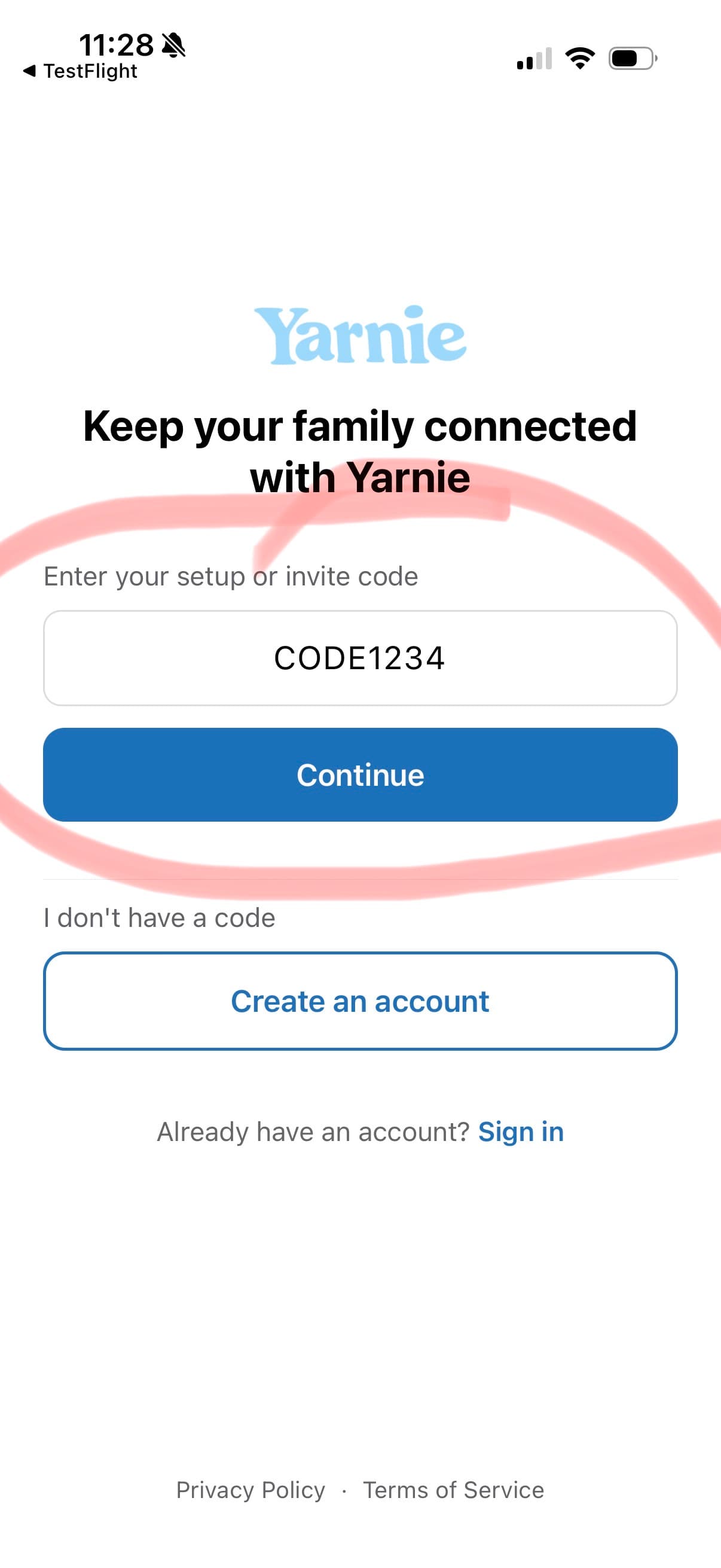
Enter the setup code on the card in your Yarnie box (8 letters and numbers, like YARN2345) and tap Continue, then create your account.
- 2
Allow All Permissions
After you log in, Yarnie asks for a few permissions — accept all of them, they're what let you talk on calls and make your phone ring when your child calls. All Yarnie calls are secure and encrypted, and no call is ever recorded or stored. Denied a permission by accident? Open your phone's Settings, find Yarnie, and turn it back on.
- 3
Make Your First Call
Time to test it! The app will guide you through making your first call — just follow the steps on screen. Once you've had your first yarn, everything is working and you're all set!
Parent tip
Let Your Child Dial Your Real Number
Yarnie has its own private, secure calling network — it doesn't use the phone company. Yarnie assigns you a Yarnie Number, but that number is customisable: you can change it to any number you like. Many parents set it to their real mobile number so their child dials it every day and remembers it — your child dials it on their Yarnie, and it rings the Yarnie app on your phone.
In the app: open the My Yarnie tab, tap your name under Contacts, tap your Yarnie Number, and choose Set Custom Number. You can do the same for anyone your child calls — more on that on the next page.
All Set Up?
Next, add the people your child can call — and who can call them.
Add & Approve Contacts →Troubleshooting
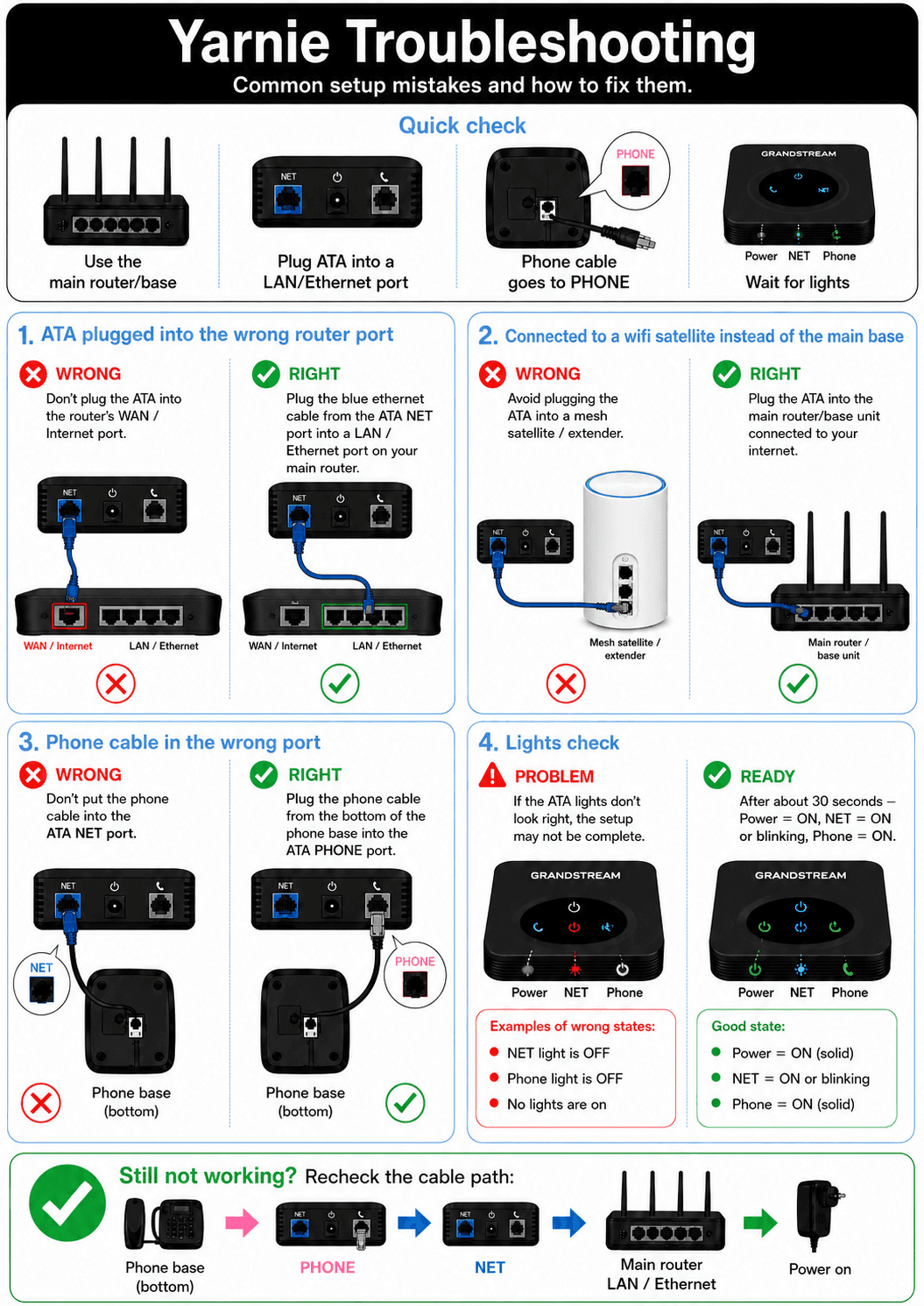
Something not working? Most setup issues are a cable in the wrong port — this guide shows the common mistakes and how to fix them.
Your phone doesn't ring?
Check that notifications are allowed for Yarnie in your phone's Settings, and that Do Not Disturb or Focus mode is off. Then try the call again.
Still stuck?
Text 0434 145 075 and we'll help you in real time.
Need help? Text 0434 145 075 for real time support.